
Create a 10-player defensive lineup
Generate a defensive lineup with four outfielders based on your players, team settings and lineup rules.
A 10-player defensive lineup adds a fourth outfielder, giving you LF, LCF, RCF, and RF instead of the standard LF, CF, and RF.
Set your team to use 10 defensive players#
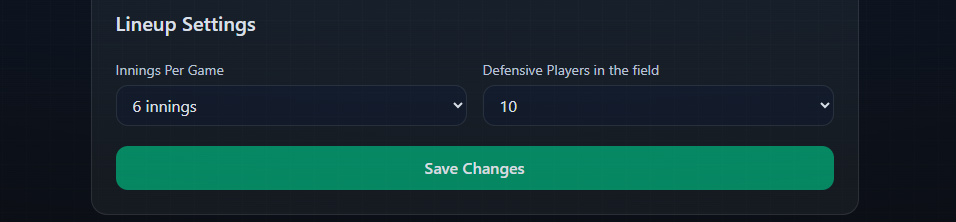
Open Team Settings and find the Lineup Settings section.
Under Defensive Players in the field, select 10, then click Save Changes.
Build your lineup#
Open Lineup, select your game, and create your defensive lineup normally.
When 10 or more players are available, the defensive positions are:
P, C, 1B, 2B, 3B, SS, LF, LCF, RCF, RF
You can generate the lineup with Inningly or assign positions manually. Any lineup rules, player position preferences, and restrictions continue to work with the 10-player defense.
If you use position preferences, see Set player position preferences and restrictions.
What if fewer than 10 players are available?#
You do not need to change your team setting for an occasional short roster.
When fewer than 10 players are available for a game, Inningly automatically uses the standard nine-position defense with LF, CF, and RF. When 10 or more players are available again, your lineup returns to LF, LCF, RCF, and RF.
The Defensive Players in the field setting works the same way for both baseball and softball teams.
← Back to Lineups and Batting Orders
Related articles
- Create a Defensive Lineup Generate a defensive lineup using your available players, team settings, and lineup rules.
- Set Lineup Rules and Restrictions Choose the general rules Inningly should follow—or try to follow—when generating your lineup.
- Set Player Position Preferences and Restrictions Set where each player should, may, or should not play when Inningly generates a defensive lineup.
- Review, Adjust, and Save a Lineup Check a generated lineup, make manual changes, and save the version you intend to use for the game.